Take the work into the review

Make progress something you can review.

Bring assessed status, open findings, evidence, and ownership into a shared program view. Prepare reports and snapshots with a clear purpose.

INSIDE ITQANProduct demonstration
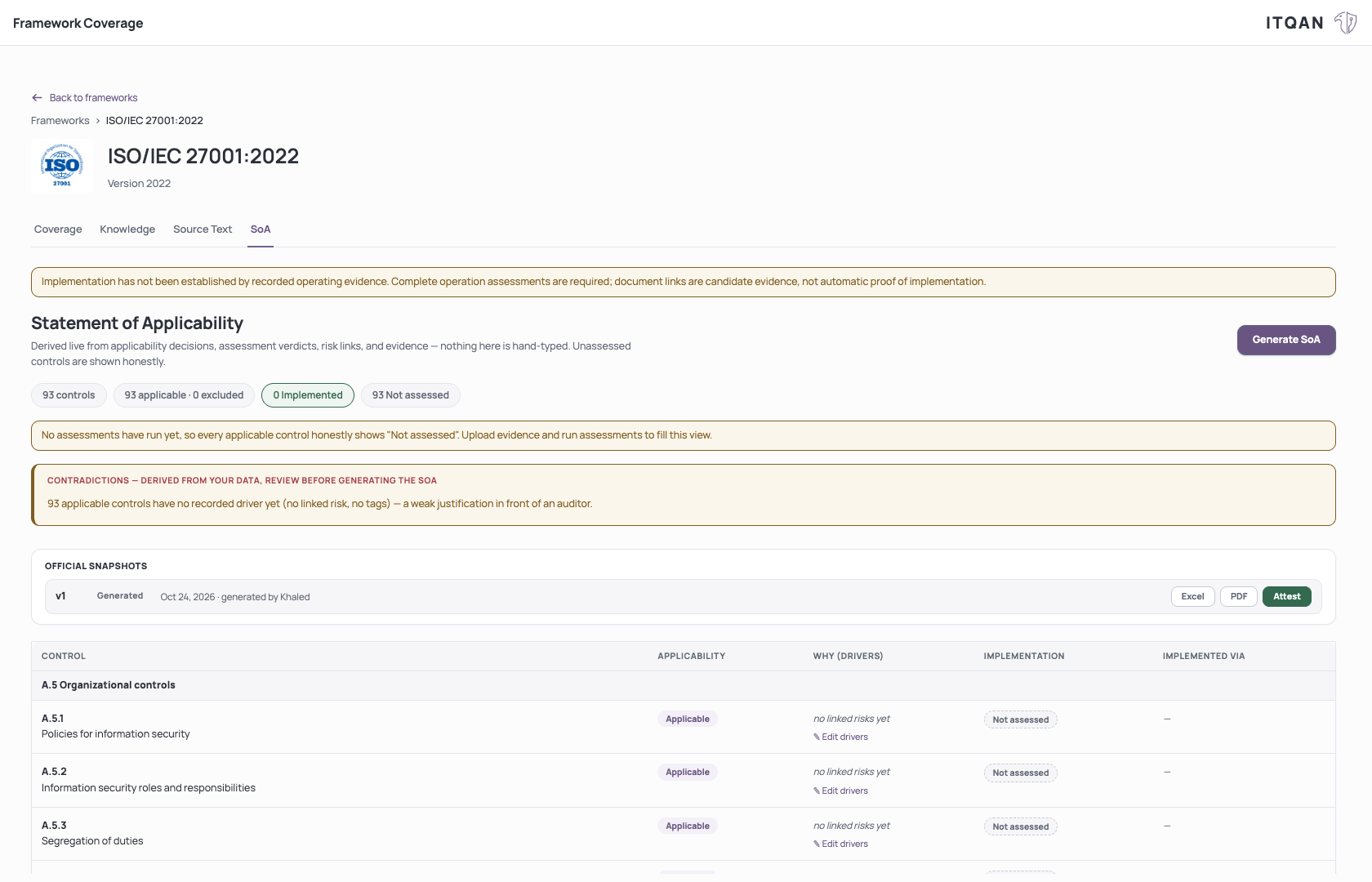
A generated, unattested ISO Statement of Applicability with unassessed controls and Excel and PDF export actions.

A generated, unattested SoA snapshot. Controls are shown as not assessed; the snapshot is not a certification or compliance result.

Click to enlarge

A saved snapshot, ready for review.

A generated, unattested SoA snapshot. Controls are shown as not assessed; the snapshot is not a certification or compliance result.

FROM A QUESTION TO THE WORK

Know what each measure tells you.

Follow enabled frameworks, effective targets, assessed requirements, and open work. Keep assessment progress and target attainment distinct so unassessed work stays visible.

02

Prepare your ISO Statement of Applicability.

Review inclusion and exclusion justifications, implementation status, and evidence links. Generate frozen SoA versions and retain the administrative attestation record.

  • Keep live preparation and frozen snapshots separate.
  • Review AI-drafted justification text.
  • Export supported SoA snapshots to PDF or Excel.
03

Choose the output for the conversation.

Use PDF or Excel gap reports for review, Excel risk registers for risk discussions, and Word drafts for policy collaboration.

  • Gap reports: PDF / XLSX.
  • Risk register: XLSX.
  • Policy drafts: DOCX, where writing is enabled.

SCOPE OF USE

Reports support internal review and audit preparation. They do not certify compliance, replace an independent audit, or make every framework’s assessment method interchangeable.

Questions before you start ↗

YOUR NEXT STEP

Let’s start with your actual work.

Bring your requirements. Explore the ITQAN workflow that fits your team.

Book your walkthrough