Bring the business into the risk picture

Understand what is exposed. And who owns the response.

Connect assets, classification, business activities, threats, vulnerabilities, and treatment. Give each risk scenario the context needed for a useful discussion.

INSIDE ITQANProduct demonstration
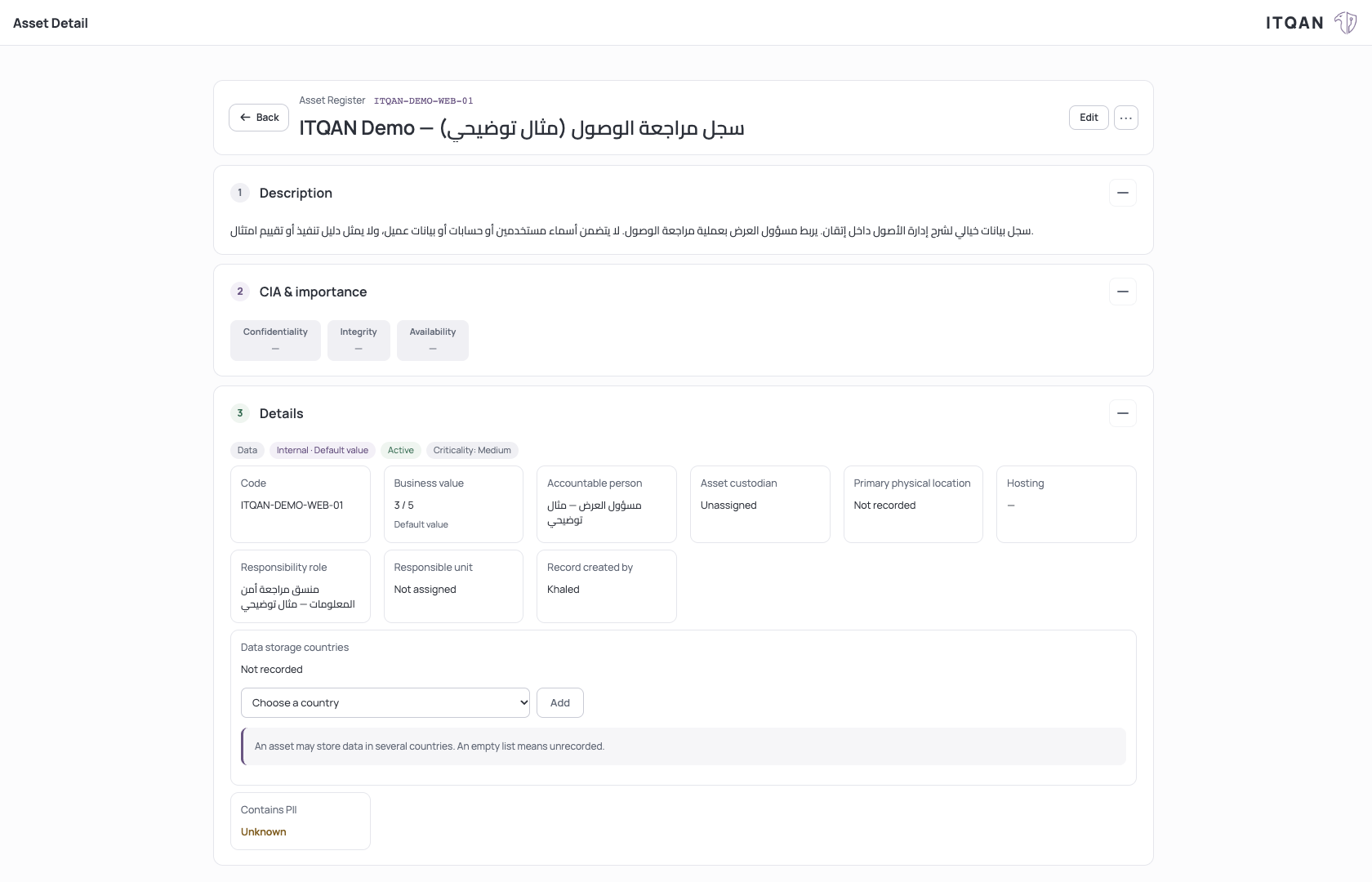
A clearly labeled fictional asset with its description and accountable person in ITQAN.

An illustrative asset record. Defaults and unrecorded fields remain visible; this is not a risk-assessment result.

Click to enlarge

Give the asset context and responsibility.

An illustrative asset record. Defaults and unrecorded fields remain visible; this is not a risk-assessment result.

FROM A QUESTION TO THE WORK

Start with the assets you already know.

Maintain an asset register with ownership and classification. Supported table imports help bring existing asset records into the workspace with row-level outcomes and duplicate handling.

02

Describe a scenario, not just a score.

Bring asset, threat, vulnerability, and relevant control context into risk scenarios. Review likelihood, impact, appetite, treatment, and responsibility together.

  • Use AI assistance to draft risk scenarios.
  • Record treatment and acceptance decisions.
  • Export the risk register to Excel.
03

Understand the score and its inputs.

The scenario score is calculated as likelihood × impact × vulnerability. Review each input and its recorded source, then use scope-specific appetite thresholds to interpret the result. AI can propose inputs; the platform performs the arithmetic.

  • Each scoring input uses the platform’s 1–5 scale.
  • Configure appetite bands and acceptance authority by scope.
  • Keep inferred, declared, and default values distinguishable.
04

Keep treatment and acceptance accountable.

Assign a risk owner and a treatment owner, record treatment actions and review dates, and retain who accepted or closed the scenario and when. Acceptance follows the applicable authority for the risk band.

  • Separate business responsibility from login accounts.
  • Distinguish existing controls from proposed controls.
  • Export the register, treatment plan, and methodology in one Excel workbook.
05

Keep the reasoning close to the decision.

Follow a gap into its discussion, owner, and supporting evidence. Review the scope and operating context before relying on an assessment in risk reasoning.

  • Keep historical decisions and current status distinct.
  • Review evidence for closure and follow-up.
  • Preserve the reason for an administrative decision.

SEE IT IN THE PRODUCT

Connect the threat to the affected asset.

INSIDE ITQANProduct demonstration
A clearly labeled fictional accidental sharing threat linked to one ITQAN demonstration asset, with no linked vulnerabilities.

A fictional threat-to-asset example. The likelihood is an illustrative input; this screen is not a saved risk scenario or a calculated risk result.

Click to enlarge

Connect the threat to the affected asset.

A fictional threat-to-asset example. The likelihood is an illustrative input; this screen is not a saved risk scenario or a calculated risk result.

SEE IT IN THE PRODUCT

See the appetite bands and acceptance authority.

INSIDE ITQANProduct demonstration
The System Default Scope shows default risk appetite bands and the role authorized to accept each band.

The product’s methodology defaults, clearly labeled. No customer appetite policy or acceptance decision was saved for this capture.

Click to enlarge

See the appetite bands and acceptance authority.

The product’s methodology defaults, clearly labeled. No customer appetite policy or acceptance decision was saved for this capture.

SCOPE OF USE

Import support depends on register type and file limits. A document assessment does not automatically establish risk reduction across every asset or context.

Questions before you start ↗

YOUR NEXT STEP

Let’s start with your actual work.

Bring your requirements. Explore the ITQAN workflow that fits your team.

Book your walkthrough
